

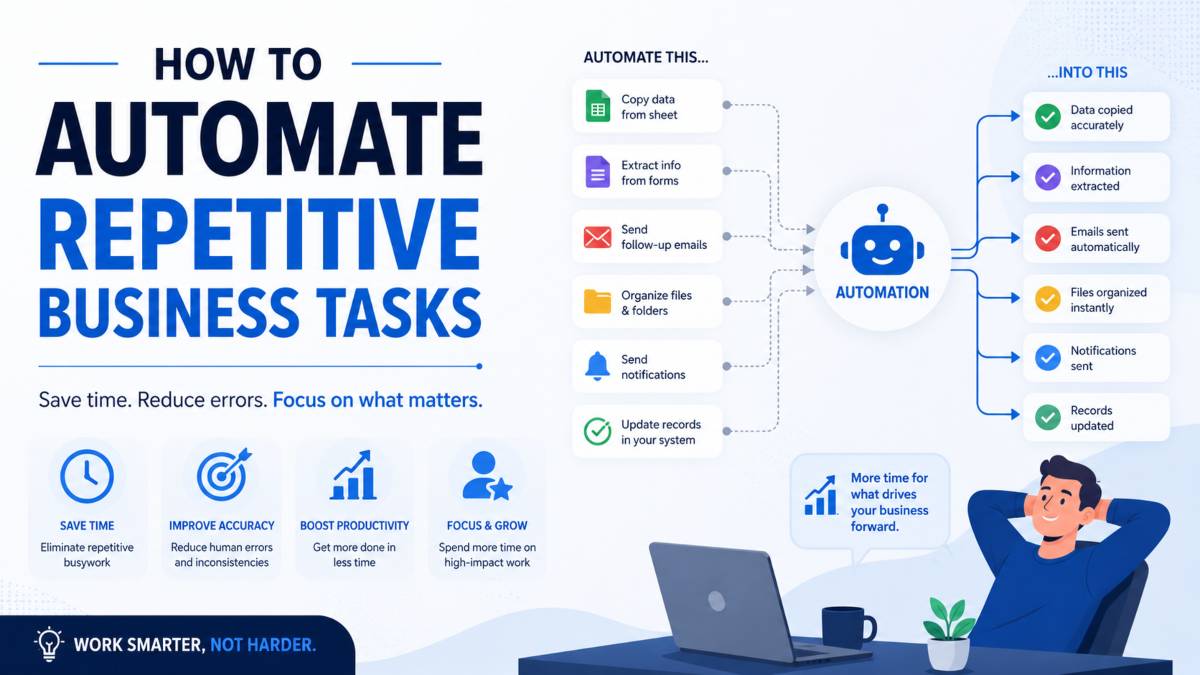
If you’re spending a chunk of every workday doing the same things over and over copying data, sending the same emails, updating the same spreadsheets you already know something is off. It’s not just tedious. It’s expensive.
Research shows that more than 40% of workers spend at least a quarter of their week on repetitive tasks. That’s roughly 10 hours per week per person on work that follows the exact same steps every single time. Multiply that across a team, and the numbers get uncomfortable fast.
The good news is that most of those tasks can be handed off to software. You don’t need a developer, a massive budget, or months of planning. You need a clear starting point and the right approach. This post walks you through exactly that how to identify what to automate first, which tools to use, and how to build your first workflow without getting overwhelmed.
Why You Should Automate Repetitive Tasks (The Real Cost of Doing Nothing)
Most people underestimate what repetitive manual work actually costs their business. It’s not just a time problem it compounds.
The Time Drain Is Bigger Than You Think
Studies suggest that automation saves the average worker around 3.6 hours per week. That might sound modest until you realize that’s nearly two full workdays per month per person. For managers specifically, the numbers are worse: roughly 25% of them report spending more than 20 hours a week on manual administrative tasks.
Meanwhile, McKinsey research indicates that around 50% of current work activities could theoretically be automated using existing technology. Half. Most businesses are nowhere near that threshold, which means the opportunity gap is enormous.
Errors, Burnout, and Missed Growth
Repetitive manual work doesn’t just waste time it degrades quality. When someone has to move data between systems by hand or send the same follow-up email for the hundredth time, mistakes happen. A wrong figure in a report, a missed follow-up, a delayed invoice these aren’t catastrophic on their own, but they accumulate.
There’s also a morale dimension. Monotonous tasks are one of the leading drivers of employee disengagement. When your team is buried in low-value admin, they have less energy and attention for the work that actually requires their judgment.
The stat that captures this best: 94% of companies perform repetitive, time-consuming tasks, yet automation has already improved productivity for 66% of the knowledge workers whose companies adopted it. The companies that haven’t moved yet are leaving real efficiency gains on the table.
How to Identify Which Tasks to Automate First
This is where most people get stuck. They know they want to automate something they just aren’t sure what to start with. A useful framework scores each candidate task against four criteria.
The 4-Point Scoring Framework
A task is a strong automation candidate if it checks most of these boxes:
It’s rule-based. The task follows consistent, predictable logic. If you can describe it as “when X happens, do Y,” it’s automatable. Approval workflows, data transfers, and email triggers all qualify. Judgment calls, sensitive conversations, and creative work generally don’t.
It’s high frequency. The more often a task repeats, the more time automation saves. A task that runs 50 times a week is a much better target than one that runs twice a month.
It moves data. If the task involves taking information from one place and putting it somewhere else a form submission going into a spreadsheet, a lead landing in a CRM automation handles this cleanly and removes human error from the equation.
It drains the person doing it. If the task is something your team dreads not because it’s hard, but because it’s the same thing every single time that’s a signal worth listening to.
Score each candidate task against these four. Any task that hits three or four is worth building. The one with the highest frequency and time exposure should go first.
The Tasks That Almost Always Win
Across most business types, a handful of tasks consistently score highest:
- Responding to routine customer inquiries
- Moving lead data from web forms into a CRM
- Sending follow-up emails or appointment reminders
- Generating recurring reports from existing data
- Routing invoices and payment reminders
- Posting to social media on a schedule
These win because they’re frequent, rule-based, and don’t require any real human judgment. Start here before trying to automate anything more complex.
What Are the Best Tools to Automate Repetitive Tasks?
You don’t need to build anything from scratch. There are tools designed specifically to connect your apps and automate the steps between them no code required for most use cases.
Zapier — Best for Beginners
Zapier is the most widely used automation tool for a reason: it’s fast to set up and connects over 8,000 apps. You create “Zaps” simple trigger-and-action workflows through a clean interface that doesn’t require any technical knowledge.
A typical use case: when someone fills out a contact form on your website, Zapier automatically adds them to your CRM, sends them a confirmation email, and notifies your sales team in Slack. That’s three steps eliminated in one setup.
Zapier is the right choice if your priority is getting started quickly with standard SaaS tools.
Make (formerly Integromat) — Best for Complex Workflows
Make offers a visual canvas where you drag, drop, and connect workflow nodes. It supports over 2,000 app integrations and handles multi-step logic, branching conditions, and data transformation better than simpler tools.
If your automation needs more nuance for example, routing leads differently based on where they came from, what they filled out, or what time they submitted Make gives you that control without requiring you to write code.
Microsoft Power Automate — Best for Microsoft/Office 365 Users
If your team lives inside Microsoft 365 Outlook, Excel, Teams, SharePoint Power Automate is the natural fit. It integrates deeply with the Microsoft ecosystem and handles workflows like auto-filing emails, triggering alerts from Excel changes, or syncing calendar events across platforms.
It has a steeper learning curve than Zapier, but for organizations already in the Microsoft stack, the native integration depth makes it worth it.
How Do You Actually Build Your First Automation?
The process is simpler than most people expect. Here’s the sequence that works.
Step 1: Audit your week. List every task you or your team repeat. Don’t filter yet just capture everything. Look specifically for tasks that involve moving information between tools, sending the same message in different situations, or updating records after an event.
Step 2: Score and pick one. Use the four-point framework from earlier. Pick the task with the highest score and the most weekly time exposure. Resist the urge to pick five tasks at once.
Step 3: Map the workflow. Write out every step in plain language. What triggers it? What happens next? Are there any conditions or exceptions? Keep it under five steps for your first build.
Step 4: Choose your tool and build it. For most first automations, Zapier is the fastest path. Set up your trigger, configure your actions, and test it with a real example before going live.
Step 5: Measure after 30 days. Track how often the automation runs and estimate how much time it saved. This gives you the data to justify the next one and the next.
The businesses that see the best results from automation don’t try to automate everything at once. They build one workflow, confirm it works, then expand from there.
What Tasks Should You Automate in Your Business?
Here’s a practical breakdown by business area.
Email and communication: Auto-responses to common inquiries, follow-up sequences after a purchase or sign-up, appointment reminders, and internal status notifications.
Sales and CRM: Lead capture from web forms directly into your CRM, task creation for new leads, deal stage updates triggered by customer actions.
Finance and admin: Invoice generation when a project is marked complete, payment reminder sequences, expense categorization from receipts.
Marketing: Social media post scheduling, blog publish notifications sent to your email list, lead scoring updates based on engagement.
Reporting: Automatic weekly or monthly reports pulled from your data sources and delivered to your inbox or shared with your team.
Each of these is rule-based, repeatable, and doesn’t require a human decision at any point. That’s exactly what automation is built for.
Common Mistakes to Avoid When You Automate Repetitive Tasks
Getting started is the right move. But a few common errors can slow you down or make your automations less useful than they should be.
Automating a Broken Process
Automation doesn’t fix a bad workflow it accelerates it. If a process is inconsistent, unclear, or prone to errors when done manually, automating it will just make those errors happen faster and at higher volume. Before you build, make sure the process is clean and clearly defined.
Trying to Automate Everything at Once
This is the most common trap. The goal isn’t to automate your entire operation overnight. One well-tested automation that runs reliably every day is worth more than ten half-built ones that need constant intervention. Build momentum with small wins before scaling up.
Not Reviewing Automations After Setup
Automations aren’t set-and-forget forever. Apps update, processes change, and edge cases appear. Build a habit of reviewing your active automations quarterly. Check that they’re still running correctly and that the logic still matches how your business actually operates.
Conclusion
Automating repetitive tasks is one of the highest-leverage moves you can make in your business not because it’s trendy, but because the time savings are real and the setup barrier is lower than most people think.
The key takeaways: start by identifying tasks that are frequent, rule-based, and move data between systems. Pick one tool that matches your skill level and your existing stack. Build one workflow, measure it, and use that momentum to keep going.
You don’t need to overhaul your entire operation. You just need to find the one task that’s eating the most time and replace it with something that runs while you’re focused on everything else.
Try it this week. Pick one task, map the steps, and build it. The first one is always the hardest. After that, you’ll start seeing automations everywhere.
Have a task you’ve been putting off automating? Drop it in the comments we’d love to help you think through it.
Read Also: What to Manage a Business GSCNewstown: Complete Business Management Guide