

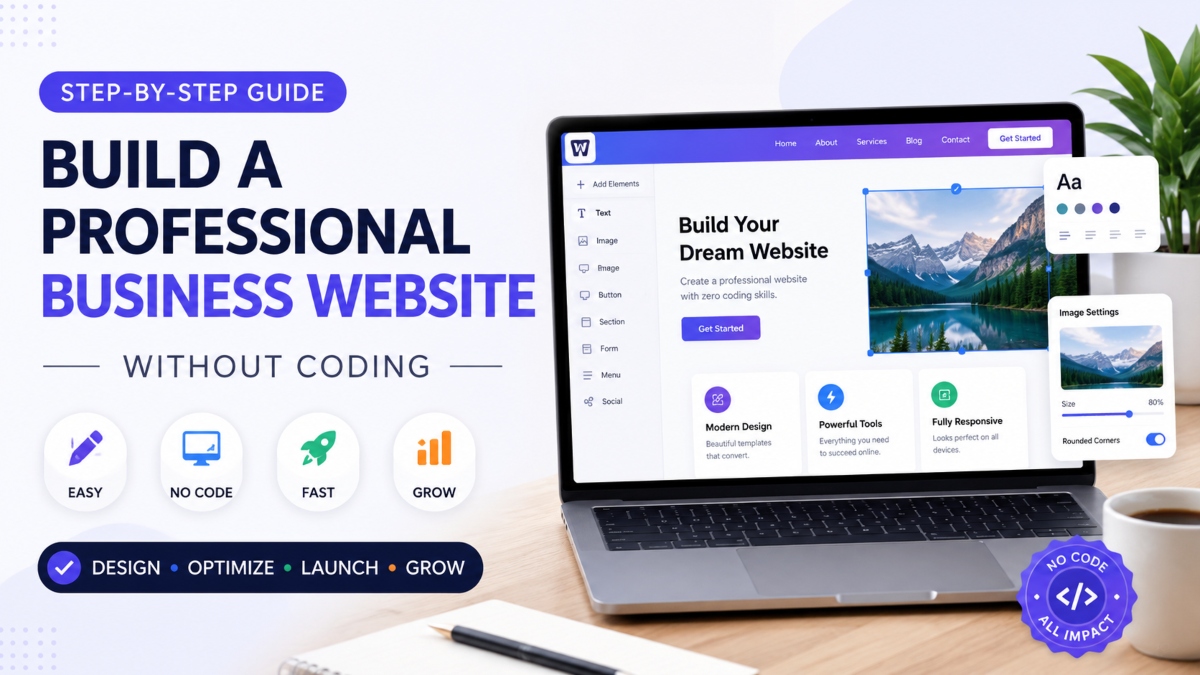
Building a professional business website once meant hiring expensive developers, learning complicated coding languages, or spending months trying to fix technical problems. For many small business owners, startups, and freelancers, that process felt frustrating and out of reach. Today, things look very different. Modern no code website builder platforms have changed the way businesses create websites, making professional design accessible to almost anyone with an internet connection and a clear idea.
Whether you run a local service company, an online store, or a personal brand, your website acts as your digital storefront. Customers expect fast loading pages, clean layouts, mobile friendly design, and clear information before they decide to trust your business. A weak online presence can quietly push potential customers toward competitors who look more polished and credible.
The good news is that you can now build a website without coding by using drag and drop tools, ready made templates, and beginner friendly platforms like Wix, Squarespace, Shopify, and WordPress. The process is surprisingly simple. You choose a platform, customize a design, add your business content, optimize for mobile users and search engines, then launch your site with a custom domain. With the right approach, creating a professional business website no longer requires technical expertise or a huge budget.
Why Businesses Choose No Code Website Builders
Creating a business website used to involve developers, designers, and long project timelines that drained both time and money. That model no longer fits many modern businesses, especially startups and small companies working with tight budgets. This is why no code web design platforms have become such a popular choice across different industries.
A modern drag and drop website builder allows business owners to create polished websites through visual editing instead of programming. You can move sections around, change colors, upload images, and publish pages with just a few clicks. The process feels closer to editing a presentation than building software.
Lower costs remain one of the biggest advantages. Hiring a professional developer for a custom website can cost thousands of dollars before maintenance even begins. A DIY business website built with no code tools removes much of that expense while still delivering a clean and professional look.
Speed also matters. Many businesses can launch a complete website within days instead of waiting months for development work. Templates, built in features, and ready made layouts simplify the process for beginners who have little technical experience.
Another reason businesses choose these platforms is flexibility. Updating content, changing service details, adding blog posts, or uploading new images becomes simple enough for business owners to manage on their own. There is no need to contact a developer every time a small edit is required.
What Is a No Code Website Builder?
A no code website builder is a platform that helps users create websites without writing code. These tools use visual editors where elements like text, images, buttons, and forms can be added through simple dragging and clicking. Platforms such as Wix, Squarespace, Shopify, and Elementor make website creation much easier for beginners.
Who Should Use No Code Platforms?
No code platforms work especially well for freelancers, local businesses, startups, consultants, agencies, and service providers who want a professional online presence without technical complications. They are ideal for people who value speed, affordability, and easy website management while still wanting strong design quality.
Plan Your Business Website Before Designing
A polished website starts long before you pick colors, fonts, or templates. Strong website planning gives your business direction and prevents the messy layouts and confusing navigation that turn visitors away. Many businesses rush straight into design, only to realize later that their pages lack purpose, structure, or clear messaging.
Before building anything, take time to think about what your website needs to achieve and how visitors should move through it. A clear business website structure creates a smoother experience for users and helps search engines understand your content more easily.
Define Your Website Goals
Every business website should have a primary objective. Without one, your pages can feel disconnected and unfocused. Your goals will shape the design, content, calls to action, and features you include across the site.
For some businesses, the goal is lead generation through contact forms or consultation requests. Others may focus on online sales, appointment bookings, or showcasing a professional portfolio. A photography studio may want visitors to explore galleries, while a marketing agency may care more about collecting client inquiries.
When your goals are clear, every section of the website gains purpose. Headlines become sharper, calls to action feel stronger, and the visitor journey becomes easier to follow.
Identify Your Target Audience
A successful website speaks directly to the people most likely to buy your product or service. Understanding user intent helps you create content that answers questions quickly and builds trust.
Think about what your visitors expect when they land on your website. They may want pricing information, examples of your work, customer reviews, or a fast way to contact you. If your audience struggles to find important details, they will likely leave within seconds.
Focus on simple navigation, readable content, and messaging that matches your audience’s needs and problems.
Create a Simple Website Structure
A clean website structure makes browsing easier for both visitors and search engines. Instead of adding too many pages, keep the layout organized and straightforward.
Most business website pages should include:
- Home
- About
- Services or Products
- Testimonials
- Blog or Resources
- Contact
This structure gives visitors a clear path while helping your website look more professional and trustworthy.
Choose the Best No Code Website Builder
Picking the right platform can shape the entire experience of building and managing your website. Some tools focus on simplicity, while others offer deeper customization and advanced design control. The best no code website builder for your business depends on your goals, budget, technical comfort level, and the type of website you want to create.
Many business website platforms now combine hosting, templates, design tools, and built in features inside one dashboard. This makes the setup process much easier for beginners. Still, not every platform works the same way. Some prioritize speed and convenience, while others give users more creative freedom.
If you want a quick launch with minimal learning, beginner friendly builders are often the best choice. Businesses that need stronger SEO control or custom layouts may prefer more flexible platforms. Ecommerce stores also require tools built specifically for selling products and managing payments.
Understanding the strengths of each platform helps you avoid wasting time on a builder that does not fit your business needs.
Wix for Beginners
Wix is one of the easiest platforms for beginners who want fast results without technical stress. Its drag and drop editor allows users to customize pages visually while using ready made templates designed for different industries.
Wix works well for service businesses, local companies, freelancers, and startups that need a professional website quickly. It also includes built in tools for SEO, contact forms, booking systems, and mobile optimization.
Squarespace for Visual Design
Squarespace is known for sleek templates and polished visual presentation. It is especially popular among photographers, designers, agencies, restaurants, and creative professionals who care about aesthetics.
The platform offers clean layouts, strong typography, and smooth image presentation that instantly gives websites a premium feel. Its editing experience is simple enough for beginners while still producing modern looking pages.
Shopify for Ecommerce Businesses
Shopify is designed for businesses focused on selling products online. It includes secure payment systems, inventory management, product pages, shipping tools, and marketing features built directly into the platform.
For small businesses wanting to launch an online store quickly, Shopify removes many of the technical barriers usually connected to ecommerce websites.
WordPress and Elementor for Flexibility
WordPress combined with Elementor gives users far more customization and SEO control than many other website builder for small business platforms. Elementor uses visual editing tools that allow users to design pages without coding while still benefiting from WordPress flexibility.
This setup works well for businesses planning long term content growth, blogging, advanced SEO strategies, or custom functionality.
Webflow or Framer for Advanced Design
Webflow and Framer appeal to users who want high end visuals and deeper creative control. These platforms allow modern animations, custom layouts, and polished interactions that feel close to professionally coded websites.
Although they come with a steeper learning curve, they are excellent choices for agencies, startups, and brands focused heavily on design quality and visual identity.
Pick a Professional Website Template
Choosing the right template can save hours of work and instantly give your website a polished appearance. Most modern website builders offer professionally designed layouts that already include structured sections, mobile responsive pages, and built in design balance. Instead of starting from a blank screen, you can customize a foundation that already looks clean and organized.
The key is selecting a template that matches your business style, audience expectations, and content needs. A strong template improves user experience while making your website look more trustworthy from the first visit.
Choose a Template That Matches Your Industry
Different industries require different visual approaches. A law firm website usually benefits from a formal and minimal layout that communicates trust and professionalism. Restaurants often use bold imagery, menu sections, and reservation buttons. Agencies may prefer creative visuals and portfolio showcases, while consultants often need service focused layouts with strong calls to action.
Most business website templates are built around specific industries, making it easier to find designs that already fit your niche. Starting with an industry focused template helps you organize content more naturally and reduces unnecessary customization later.
Keep Branding Consistent
Good website branding creates a recognizable and professional identity across every page. Your logo, typography, colors, and imagery should work together instead of competing for attention.
Choose one or two fonts that remain consistent throughout the site. Use a limited color palette that reflects your brand personality and keeps the design visually balanced. Images should also match your tone, whether that means corporate professionalism, modern creativity, or a warm local business feel.
Consistency builds familiarity, and familiarity builds trust.
Focus on Clean Layout and Readability
A professional website layout should feel easy to scan and comfortable to read. Crowded pages packed with text, oversized graphics, or too many colors can overwhelm visitors quickly.
Whitespace plays a major role in modern web design because it gives content room to breathe. Clear spacing between sections improves readability and helps users focus on important information. Strong visual hierarchy also matters. Headlines should stand out clearly, buttons should be easy to notice, and key messages should appear naturally as visitors scroll through the page.
Design Your Website Pages With Drag and Drop Tools
Modern website builders make page creation feel far less intimidating than traditional web development. Instead of dealing with code, users can build layouts visually by dragging sections into place, editing text directly on the screen, and customizing designs through simple settings panels. This approach gives businesses the freedom to create a responsive business website without needing technical expertise.
The goal is not just to make pages look attractive. Every section should guide visitors toward action while building trust and making navigation effortless.
Build a Strong Homepage
Your homepage design shapes the first impression visitors have of your business. Within a few seconds, users decide whether your website feels trustworthy, professional, and relevant to their needs.
Start with a clear headline that explains what your business offers. Avoid vague phrases and focus on direct value. A short subheadline can expand on your message and explain how your service helps customers solve a problem.
Strong calls to action also matter. Buttons like “Book a Consultation,” “Get a Free Quote,” or “Start Today” give visitors a clear next step instead of leaving them unsure about what to do next.
Social proof adds credibility and reassures new visitors. This can include client testimonials, review ratings, customer logos, case studies, or statistics that show real results. Even a few strong testimonials can make a business feel more established and trustworthy.
Create Service or Product Pages
Service and product pages should focus less on features and more on benefits. Visitors want to understand how your business improves their situation, saves time, or solves a problem.
Break information into clear sections with readable headings and concise paragraphs. Include pricing details when possible, along with examples of your work, customer success stories, or before and after results. Trust building elements such as guarantees, certifications, or customer reviews can help reduce hesitation and increase conversions.
Well structured pages also improve SEO and help users find information quickly.
Add Contact and Booking Features
A business website should make communication simple and accessible. Most no code builders include built in tools for contact forms, booking systems, maps, and live chat features.
Contact forms allow visitors to send inquiries directly through the website, while booking calendars help service businesses manage appointments more efficiently. Embedded maps are especially useful for local businesses because they help customers locate physical offices or stores.
Chat widgets create faster communication and can increase lead generation by answering questions in real time.
Use Mobile Friendly Design
A large percentage of website traffic now comes from smartphones, which means every mobile friendly website must perform well across smaller screens. Most modern builders include responsive editing tools that automatically adjust layouts for mobile devices.
Still, automatic adjustments are not always perfect. It is important to preview pages on mobile mode before publishing. Check font sizes, button spacing, image placement, and section alignment carefully.
Responsive editing helps ensure your website looks clean and professional whether visitors browse from a desktop, tablet, or phone.
Write Content That Converts Visitors Into Customers
A beautiful website means very little if the content fails to connect with visitors. Strong business website content turns casual readers into leads, customers, and long term clients. Every headline, sentence, and button should guide users toward action while building confidence in your brand.
Good website copywriting is not about sounding overly clever or technical. It is about clarity. Visitors should instantly understand what your business offers, why it matters, and what they should do next.
A conversion focused website keeps messaging direct, useful, and easy to scan.
Use Clear Headlines and Simple Language
Most visitors skim websites instead of reading every word carefully. Long paragraphs, confusing jargon, and overly formal language can quickly push people away.
Strong headlines should explain value immediately. Instead of vague phrases, focus on outcomes and benefits. Keep sentences short, readable, and conversational so users can absorb information quickly.
Each section should answer an important question. What does the business offer? Who is it for? Why should customers trust it? How can they get started?
Simple language creates a smoother reading experience and helps visitors stay engaged longer.
Add Trust Signals
People rarely buy from businesses they do not trust. Trust signals reduce hesitation and make your brand feel more established, even if your company is still growing.
Testimonials allow satisfied customers to speak for your business naturally. Reviews provide social validation, while client logos can show experience with recognizable brands or organizations. Case studies add even more credibility by showing real results and practical outcomes.
Trust building elements work best when placed throughout the website instead of hidden on a single page. A strong review near a call to action can often increase conversions significantly.
Place Strong Calls to Action
Every important page should include a clear next step for visitors. Without direction, users may leave the website without taking action.
Calls to action should feel visible, direct, and action focused. Phrases like “Book a Call,” “Request a Quote,” or “Start Free Trial” create clarity and momentum.
Place these buttons naturally throughout the page, especially after explaining benefits or showing trust signals. Repeating calls to action across longer pages also helps guide visitors who may need more time before making a decision.
Optimize Your Website for SEO and Speed
A professional website should not only look good but also perform well in search results and load quickly across all devices. Even the best design can struggle if pages load slowly or fail to appear on Google. This is why SEO and performance optimization play such an important role in long term website growth.
Search engines favor websites that offer fast loading speeds, clear structure, mobile responsiveness, and useful content. A well optimized website also creates a smoother user experience, helping visitors stay longer and interact more with your pages.
Building an SEO friendly website starts with small improvements that work together to increase visibility and usability.
Optimize Titles, Meta Descriptions, and Headers
Basic on page SEO helps search engines understand what each page is about. Every important page should have a unique title tag and meta description that naturally include target keywords.
Titles should stay clear and descriptive while encouraging clicks from search results. Meta descriptions should briefly explain the page content and give users a reason to visit your website.
Headers also matter for both readability and SEO structure. Use clear heading levels such as H1, H2, and H3 to organize content logically. Search engines use these headings to understand page hierarchy, while visitors benefit from easier scanning and navigation.
Compress Images and Improve Speed
Large image files are one of the most common reasons websites load slowly. Compressing images before uploading them can improve performance without noticeably reducing quality.
Modern website builders often include image optimization tools that automatically resize and compress media. Lazy loading also improves speed by delaying image loading until users scroll down the page. This reduces initial loading time and creates a faster browsing experience.
Caching further improves website speed optimization by storing temporary versions of pages so repeat visitors can access content more quickly. Faster websites usually experience lower bounce rates and better user engagement.
Connect Google Analytics and Search Console
Tracking performance helps businesses understand how visitors interact with their website. Google Analytics provides useful data such as traffic sources, visitor behavior, bounce rates, and page performance.
Google Search Console focuses more on search visibility. It helps website owners monitor keyword rankings, indexing issues, mobile usability, and technical SEO problems.
Together, these tools provide valuable insights that help improve both content and user experience over time.
Add Alt Text and Mobile Optimization
Alt text helps search engines understand images while also improving accessibility for users who rely on screen readers. Every important image should include short and descriptive alt text that explains the content naturally.
Mobile optimization is equally important because a large portion of users browse websites through smartphones and tablets. Responsive layouts, readable font sizes, properly spaced buttons, and fast mobile loading all contribute to better rankings and stronger user satisfaction.
A website that performs smoothly across devices creates a better experience for both visitors and search engines.
Test and Launch Your Website
Before you launch business website pages to the public, take time to test every important feature carefully. A website may look polished on the surface while still hiding broken links, slow pages, or frustrating user experiences underneath. Small technical problems can quietly damage trust and reduce conversions.
Running through a proper website testing checklist helps ensure visitors experience a smooth and professional website from day one.
Check Mobile Responsiveness
Your website should work smoothly across phones, tablets, laptops, and large desktop screens. A design that looks perfect on a computer may appear broken or difficult to navigate on mobile devices.
Test each page on multiple screen sizes to check spacing, text readability, image placement, and button visibility. Menus should open properly, content should fit naturally within the screen, and important sections should remain easy to scroll through.
Mobile responsiveness directly affects both user experience and search visibility, making it one of the most important final checks before launch.
Test Forms and Navigation
Visitors should never struggle to contact your business or move through your website. Test every contact form, booking form, button, and navigation menu to confirm everything functions correctly.
Broken forms can lead to missed leads and lost sales without you even realizing it. Navigation should also feel simple and intuitive. Visitors should reach important pages within a few clicks without confusion or unnecessary steps.
Reducing friction creates a smoother experience that encourages users to stay longer and take action.
Connect a Custom Domain and SSL
A custom domain gives your website a more credible and professional appearance. Instead of using a generic builder subdomain, connect a branded domain name that matches your business identity.
SSL security is equally important for building trust. A secure business website uses HTTPS encryption to protect visitor data and improve browser security. Most modern website builders include free SSL certificates, but it is still important to confirm they are active before launching your site.
Common Mistakes to Avoid When Building a No Code Website
No code platforms make website creation easier, but many businesses still fall into design habits that hurt performance and user experience. A professional website should feel simple, clear, and easy to navigate. When pages become cluttered or inconsistent, visitors often leave before taking action.
Understanding common website design mistakes can help you create a cleaner and more effective online presence from the beginning.
One of the biggest problems is an overcrowded homepage. Trying to fit too much information into a single page can overwhelm visitors quickly. Large blocks of text, excessive animations, too many colors, and endless sections often create confusion instead of clarity. A homepage should guide users toward the most important information instead of competing for attention.
Poor mobile layout is another major issue. Many websites look acceptable on desktop screens but become difficult to use on smartphones. Tiny text, overlapping sections, and poorly spaced buttons create frustration for mobile visitors. Always preview your website across different screen sizes before publishing.
Weak calls to action also reduce conversions. Visitors need clear direction throughout the website. Generic buttons like “Learn More” often lack urgency or purpose. Stronger phrases such as “Book Your Consultation” or “Request a Free Quote” create more momentum and clarity.
Inconsistent branding can quietly damage credibility as well. Switching between different fonts, colors, image styles, or messaging creates an unprofessional appearance. Strong branding should feel connected across every page.
Slow loading images are another common problem. Oversized media files can significantly reduce website speed and increase bounce rates. Compress images before uploading them and avoid unnecessary visual clutter.
Finally, adding too many plugins or apps can slow down performance and create technical conflicts. One of the most valuable no code website tips is to keep your website lean, organized, and focused only on features that genuinely improve user experience.
Best Tools and Resources for No Code Website Design
Choosing the right tools can make website creation faster, smoother, and far less stressful. Modern no code design tools allow businesses to handle design, marketing, analytics, and content management without relying on developers or technical teams.
Canva is one of the most useful website design tools for creating graphics, banners, logos, social media visuals, and branded marketing materials. Its beginner friendly editor makes visual design simple, even for non designers.
Elementor remains a popular choice for WordPress users who want flexible page design through visual editing. It gives businesses more creative control while keeping the building process accessible for beginners.
Wix is ideal for users looking for an all in one platform with hosting, templates, SEO features, and drag and drop customization. It works especially well for small businesses and service providers wanting quick setup.
Shopify is built for ecommerce businesses that need product management, payment processing, inventory tracking, and online store functionality within one platform.
Mailchimp helps businesses manage email marketing campaigns, lead generation forms, and automated customer communication. It integrates easily with many website builders.
Google Analytics provides valuable insights into visitor behavior, traffic sources, and website performance. Tracking this data helps businesses improve user experience and marketing strategy over time.
Unsplash offers high quality royalty free images that can improve website appearance without expensive photography costs. Strong visuals help websites feel more polished, professional, and trustworthy.
Final Thoughts
Building a professional business website no longer requires coding knowledge, large budgets, or months of development work. Modern no code platforms have made website creation far more accessible for startups, freelancers, local businesses, and growing brands that want a strong online presence without technical complications.
With the right platform, template, and strategy, businesses can create polished websites that look professional, load quickly, and support long term growth. The best part is the flexibility these tools provide. As your business grows, your website can expand with new pages, features, products, and marketing tools without forcing you to rebuild everything from scratch.
The process becomes much easier when you focus on clear structure, strong branding, mobile responsiveness, and simple user experience.
Start with a simple template, publish your first version, and improve it as your business grows.