

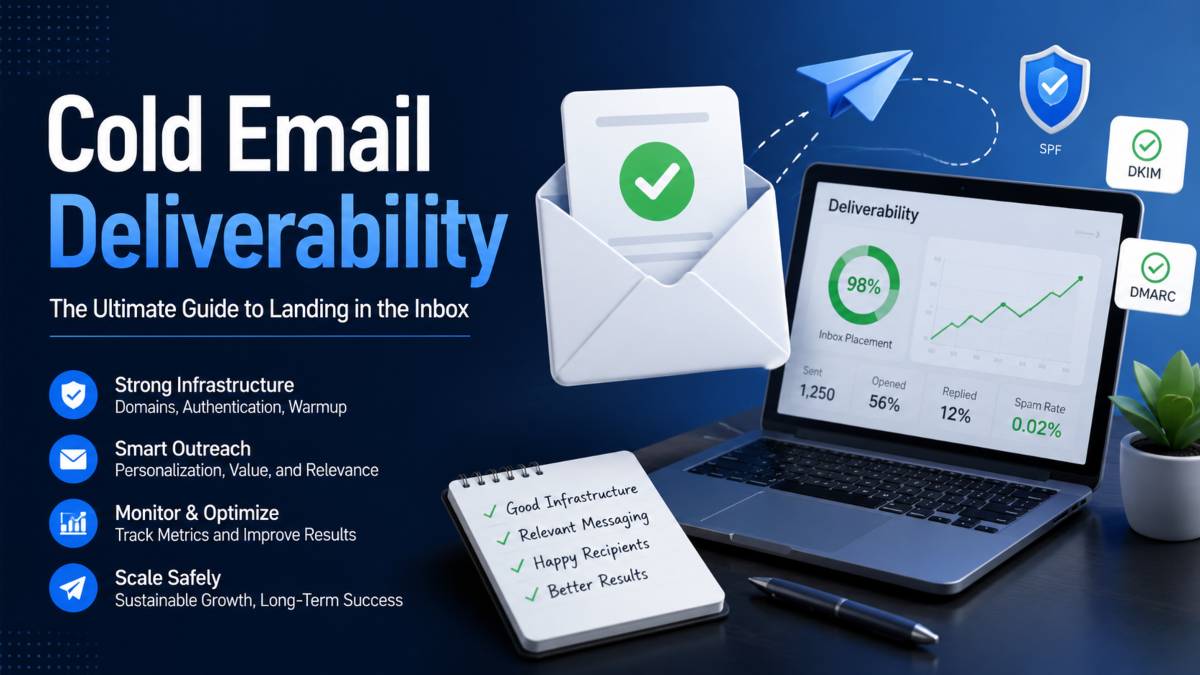
Cold email remains one of the most reliable ways to generate leads, book meetings, and open conversations with potential customers. Yet many sales teams, founders, agencies, and lead generation professionals run into the same problem. They focus on sending more emails, only to discover that their messages never reach the inbox.
When cold emails land in spam folders, response rates drop, opportunities disappear, and outreach efforts become far less productive. Even a strong offer or carefully written message cannot produce results if prospects never see it. This is why deliverability matters far more than volume. Sending 100 emails that reach the inbox is far more valuable than sending 1,000 emails that get filtered out.
At the center of successful cold email growth is sender reputation. Email providers such as Gmail and Outlook constantly evaluate your sending behavior, engagement levels, and domain health. A strong reputation helps your emails reach the inbox consistently, while a poor reputation makes scaling nearly impossible.
The good news is that growing cold email campaigns does not require risky tactics or massive sending volumes. It requires the right infrastructure, clean data, smart outreach practices, and ongoing monitoring.
In this guide, you will learn how to build a cold email system that supports sustainable growth. From setting up domains and authentication records to warming inboxes, improving engagement, and monitoring performance, these strategies can help you increase outreach while keeping your emails where they belong: in the inbox.
Here’s the next section written according to your style requirements, with no prohibited words or dash punctuation.
Why Cold Emails Land in Spam in the First Place
Many businesses assume that poor results come from weak copy or the wrong offer. While those factors matter, the real issue often starts long before a prospect reads the message. Email providers use advanced systems to decide whether an email deserves a place in the inbox or belongs in spam. Understanding how those systems work is essential for maintaining strong email deliverability and scaling outreach successfully.
How Spam Filters Evaluate Emails
Spam filters look at hundreds of signals before deciding where an email should go. They examine domain authentication, sending patterns, engagement rates, email content, and recipient behavior. If an email contains suspicious characteristics or comes from an untrusted source, the chances of reaching the inbox decrease significantly.
Filters also pay attention to how recipients interact with your emails. Low open rates, ignored messages, and spam complaints tell providers that your outreach may not be wanted. As a result, future campaigns can experience poor inbox placement even if the content improves.
The Role of Sender Reputation
Sender reputation acts like a trust score for your domain and email accounts. Every email you send contributes to that reputation. High bounce rates, spam reports, and inconsistent sending activity can damage trust quickly.
On the other hand, positive engagement signals such as opens, replies, and low complaint rates help build a stronger reputation. A healthy sender reputation increases the likelihood that your cold emails reach the primary inbox rather than the spam folder.
Why Scaling Too Fast Causes Problems
One of the most common mistakes in cold email outreach is increasing volume too quickly. Sending a large number of emails from a new domain or inbox can look suspicious to mailbox providers.
Email platforms expect gradual growth. When sending activity suddenly jumps from a few messages per day to hundreds, filters may treat the behavior as potential spam. This can hurt email deliverability, reduce inbox placement, and make recovery difficult. Sustainable growth comes from consistent sending patterns, strong engagement, and careful monitoring as campaigns expand.
Build a Strong Cold Email Infrastructure Before Scaling
Successful cold email campaigns are built on a strong foundation. Many businesses focus on writing better copy or increasing sending volume, yet overlook the technical setup that determines whether emails reach the inbox. Without the right cold email infrastructure, scaling becomes risky because even well crafted campaigns can experience poor deliverability.
Before increasing outreach volume, it is essential to establish a system that protects your brand, supports growth, and maintains a healthy sender reputation over time.
Never Use Your Primary Domain for Cold Outreach
Your primary business domain is one of your most valuable digital assets. It powers internal communication, customer conversations, and important business operations. Using it for cold outreach exposes it to unnecessary risk.
If recipients ignore your emails, mark them as spam, or if bounce rates increase, your primary domain’s reputation can suffer. This can affect every email sent from that domain, including messages to customers and partners.
For this reason, experienced outreach teams separate cold email activity from their main business operations. Keeping outreach isolated creates an additional layer of protection and helps preserve the trust associated with your primary domain.
Set Up Secondary Domains and Sending Accounts
A safer approach is to purchase secondary domains that closely resemble your brand. These email outreach domains should be dedicated exclusively to cold campaigns.
For example, a company using a primary domain might register similar branded variations for outreach purposes. This setup allows businesses to expand outreach efforts without putting their main domain at risk.
Each secondary domain should have its own sending accounts and proper authentication records. When configured correctly, secondary domains create a scalable framework that supports long term outreach growth while reducing the impact of any deliverability issues.
Create a Multi Inbox Sending System
Relying on a single inbox limits growth and creates unnecessary pressure on one sending account. Instead, build a system that distributes outreach across multiple inboxes.
A multi inbox setup allows you to spread sending volume more naturally, reducing the likelihood of suspicious activity signals. It also creates flexibility when scaling campaigns, testing new offers, or targeting different audience segments.
Rather than sending hundreds of emails from one inbox, distribute activity across several properly warmed accounts. This approach creates a healthier sending pattern and gives your cold email infrastructure the capacity needed for sustainable growth.
When combined with strong domain management and careful monitoring, a multi inbox system provides the stability required to scale outreach while maintaining consistent inbox placement.
Configure SPF, DKIM, and DMARC Correctly
Even the most carefully planned cold email campaign can struggle if mailbox providers cannot verify who is sending the message. Before focusing on copy, personalization, or scaling, you need a solid email authentication setup. This is where SPF, DKIM, and DMARC come into play.
These three authentication protocols act as trust signals for providers such as Gmail and Outlook. They help confirm that your emails are legitimate and not being sent by bad actors pretending to be your domain. Proper sender verification can significantly improve email deliverability and increase the chances of reaching the inbox.
What SPF Does
SPF, or Sender Policy Framework, tells email providers which servers are authorized to send emails on behalf of your domain.
When an email arrives, the receiving server checks your SPF record to verify that the sending server is approved. If the server is not listed, the message may be flagged as suspicious or rejected entirely.
Think of SPF as a guest list. Only approved senders are allowed through the door, while unauthorized senders are treated with caution.
What DKIM Does
DKIM, or DomainKeys Identified Mail, adds a digital signature to every email you send.
This signature allows receiving servers to confirm that the message has not been altered during transit. If the content remains intact and matches the signature, providers gain additional confidence that the email is authentic.
DKIM strengthens trust and helps protect your domain from impersonation attempts that could damage your reputation.
How DMARC Protects Deliverability
DMARC builds on SPF and DKIM by giving domain owners more control over how authentication failures are handled.
It tells receiving servers what action to take when an email fails authentication checks. Depending on your settings, failed emails can be monitored, quarantined, or rejected.
DMARC also provides reporting data that helps identify authentication issues and unauthorized sending activity. This visibility makes it easier to protect your domain and maintain healthy email deliverability.
Common Authentication Mistakes
Many businesses set up SPF, DKIM, and DMARC once and assume everything is working correctly. Unfortunately, small configuration errors can create major deliverability problems.
Common mistakes include missing DNS records, outdated SPF entries, misaligned domains, incomplete DKIM setup, and DMARC policies that are never monitored. Another frequent issue occurs when new sending platforms are added but authentication records are not updated.
Before launching any outreach campaign, test your email authentication settings thoroughly. A properly configured SPF DKIM DMARC setup creates a stronger foundation for sender verification, improves inbox placement, and supports long term cold email success.
Warm Up New Domains and Inboxes Properly
Launching a cold email campaign from a brand new domain without preparation is one of the fastest ways to damage deliverability. Email providers are naturally cautious when they see activity from a domain or inbox with little to no sending history. Before you begin outreach at scale, you need to establish trust and build a positive inbox reputation through a proper email warm up process.
Think of warmup as introducing your domain to mailbox providers. The goal is to show consistent, legitimate sending behavior over time rather than appearing overnight with a large volume of emails.
Why New Domains Need Warmup
New domains start with no reputation. Gmail, Outlook, and other providers have no historical data to determine whether your emails are trustworthy.
When a new inbox suddenly starts sending hundreds of cold emails, it can trigger spam filters and raise concerns about unwanted activity. As a result, messages may be filtered into spam folders or blocked altogether.
Domain warmup helps create a positive track record by generating gradual engagement signals such as opens, replies, and normal email interactions. These signals help providers view your domain as a legitimate sender rather than a potential spam source.
Recommended Warmup Timeline
Patience plays a major role in successful outreach. Most cold email experts recommend warming up new domains and inboxes for at least three to four weeks before launching full campaigns.
During this period, sending activity should increase gradually. Start with a small number of emails and allow engagement signals to build naturally. Consistency matters far more than speed.
Even after outreach begins, many businesses continue warmup activities in the background to help maintain a healthy inbox reputation over time.
Daily Sending Limits for New Inboxes
A common mistake is pushing new inboxes too hard, too quickly. A safer approach is to begin with approximately 15 to 20 emails per day per inbox.
As performance remains stable, sending volume can increase slowly every few days. This gradual growth appears more natural to mailbox providers and reduces the likelihood of deliverability issues.
Avoid sudden spikes in activity, as unusual sending patterns often attract unwanted attention from spam filters.
Warmup Tools Worth Using
Managing warmup manually can be time consuming, especially when operating multiple inboxes. Fortunately, several tools can automate much of the process.
Popular options include Instantly, Woodpecker, Mailreach, Warmup Inbox, and Mailbox. These platforms help generate engagement activity, monitor performance, and support stronger email warm up practices.
While tools can simplify the process, they work best when paired with quality outreach, verified contact lists, and responsible sending habits. Together, these elements create the foundation for strong inbox reputation and long term cold email success.
Keep Your Email List Clean and Verified
You can have excellent copy, strong personalization, and a well configured sending setup, but none of it matters if your contact data is poor. List quality is one of the biggest factors affecting email deliverability. Sending messages to invalid, outdated, or inactive email addresses can quickly damage your reputation and reduce inbox placement across future campaigns.
For businesses focused on scaling cold outreach, maintaining a clean and verified list should be an ongoing priority rather than a one time task.
Why Poor Data Damages Deliverability
Every email sent to a bad address creates risk. When messages bounce because an address no longer exists or was entered incorrectly, mailbox providers take notice.
A high bounce rate signals that your outreach process lacks quality control. Over time, repeated bounces can weaken sender trust and increase the likelihood of emails being filtered into spam folders.
Poor data can also hurt engagement. If contacts are no longer active or relevant, open and reply rates often decline, creating additional negative signals that affect deliverability.
Email Verification Tools to Use
Before launching any campaign, run your contact list through an email list verification platform. These tools identify invalid, risky, and inactive addresses before you send a single message.
Popular email validation tools include MillionVerifier, ZeroBounce, NeverBounce, Bouncer, and Hunter Email Verifier. Each helps improve list accuracy by checking whether an email address is active and capable of receiving messages.
Using email verification tools regularly can reduce unnecessary bounces and help maintain a healthier sender reputation.
Ideal Bounce Rate Benchmarks
A low bounce rate is a strong indicator of list quality. Most deliverability experts recommend keeping your bounce rate below 2 percent.
Once bounce rates move above the 2 to 3 percent range, mailbox providers may begin treating your campaigns with greater scrutiny. The higher the bounce rate, the greater the risk to inbox placement and sender trust.
Monitoring this metric closely allows you to identify problems before they affect campaign performance.
How Often to Clean Your Lists
Email data becomes outdated faster than many marketers realize. People change jobs, companies close, and inboxes become inactive.
For this reason, list cleaning should be part of your regular outreach workflow. Verify new lists before every campaign and review existing databases at least once every few months. High volume senders may benefit from monthly reviews.
Consistent email validation helps keep your database accurate, protects deliverability, and ensures your campaigns reach real prospects instead of dead inboxes.
Write Cold Emails That Avoid Spam Filters
Strong deliverability is not only about domains, authentication records, and list quality. The content of your email also influences whether it reaches the inbox. Mailbox providers analyze email copy for patterns commonly associated with unwanted messages. If your outreach looks overly sales focused or automated, it may struggle to reach prospects regardless of how good your infrastructure is.
Effective cold email copywriting focuses on authenticity, relevance, and simplicity. The goal is to create emails that feel like genuine one to one conversations rather than mass marketing campaigns.
Spam Trigger Words to Avoid
Certain phrases and writing patterns can raise concerns for spam filters. While a single word rarely causes deliverability issues on its own, repeated use of aggressive sales language can contribute to problems.
Examples include phrases such as “100 percent free,” “guaranteed results,” “act now,” “limited time offer,” and “make money fast.” Excessive use of capital letters, multiple exclamation marks, and attention grabbing language can create similar issues.
The safest approach is to write naturally and focus on providing value rather than pushing for an immediate response.
Why Plain Text Emails Work Better
Many successful cold email campaigns rely on simple plain text messages. Unlike heavily designed marketing emails, plain text outreach feels more personal and conversational.
A simple format also reduces technical elements that can sometimes trigger additional scrutiny from mailbox providers. Large images, complex layouts, and excessive formatting may create unnecessary barriers to inbox placement.
When prospects receive a message that looks like a genuine email from a real person, engagement rates often improve.
Keep Subject Lines Natural
Subject lines play a major role in first impressions. Overly promotional or sensational headlines can reduce trust and lower open rates.
Instead of trying to create curiosity through exaggerated claims, focus on relevance and clarity. Short subject lines that reference a company, challenge, or specific topic often perform better because they feel authentic.
A natural subject line sets the tone for the rest of the conversation and helps establish credibility from the start.
Reduce Promotional Language
One of the most effective email deliverability tips is to sound less like a marketer and more like a professional starting a conversation.
Avoid filling your email with product features, company achievements, or lengthy sales pitches. Instead, focus on the recipient’s situation and explain why you are reaching out.
The best cold email copywriting creates curiosity without pressure. It feels personal, relevant, and respectful of the reader’s time. By limiting promotional language and keeping messages concise, you increase the chances of reaching the inbox and earning meaningful responses.
Limit Links and Attachments in Early Outreach
Many cold email campaigns struggle with deliverability because they include too much too soon. While links and attachments can provide useful information, they are also common characteristics found in spam messages. For that reason, mailbox providers often examine emails containing these elements more carefully.
If your goal is strong inbox placement, the first email should focus on starting a conversation rather than sending prospects to external resources.
Why Links Can Hurt Deliverability
Links are not automatically bad, but including several in an initial outreach email can increase risk. Spam filters evaluate the number of links, the destination URLs, and whether the links appear trustworthy.
Tracking links can create additional concerns because they often look different from standard website addresses. Even legitimate campaigns may experience lower inbox placement when too many links are included.
For stronger email spam prevention, many outreach professionals keep the first email completely link free or limit it to a single clean URL when absolutely necessary.
When to Introduce Links in Follow Ups
Once a prospect opens, replies, or engages with your outreach, sharing additional resources becomes much safer. At this stage, mailbox providers have already seen positive engagement signals associated with the conversation.
Follow up emails are a better place to include case studies, company websites, scheduling pages, or other helpful resources. Because the relationship has already started, cold email links are less likely to create deliverability concerns.
The key is to earn attention first and provide supporting materials later.
Best Practices for Attachments
Email attachments can trigger extra scrutiny, particularly when sent to someone who has never interacted with you before. Documents, presentations, and PDFs may appear suspicious when attached to a first touch email.
Instead of sending email attachments immediately, mention that you can share additional information if the prospect is interested. This approach keeps your initial message simple while creating an opportunity for future engagement.
By limiting links and attachments during early outreach, you create a cleaner email experience that supports stronger deliverability and increases the likelihood of reaching the inbox.
Personalization Increases Deliverability and Replies
Many people view personalization as a tactic for improving response rates, but its impact goes much deeper. Personalized outreach can also improve deliverability by generating stronger engagement signals. When recipients open emails, read them, and respond, mailbox providers receive evidence that the messages are relevant and wanted.
This is why cold email personalization plays a direct role in long term campaign performance. The more relevant your emails feel, the more likely they are to reach future prospects successfully.
Use Prospect Specific Openers
The first few lines of an email often determine whether someone keeps reading or moves on. Generic introductions can make your message look like a mass campaign, while personalized openers show genuine effort.
Reference something specific about the recipient, such as a recent company announcement, a new role, a podcast appearance, or an industry challenge they may be facing. Even a small amount of relevant context can make the email feel more personal and credible.
Strong opening lines immediately separate your message from the countless generic emails filling a prospect’s inbox.
Focus on Their Problems, Not Your Company
One of the biggest mistakes in cold outreach is talking too much about your business. Prospects care less about your company history and more about whether you understand their situation.
Instead of listing features or achievements, focus on the challenges your audience faces. Show that you understand their goals, obstacles, or opportunities. When readers feel understood, they are far more likely to engage with the conversation.
A prospect centered approach often produces stronger email engagement because the message feels relevant from the very beginning.
Add Relevant Social Proof
Trust is a major factor in cold outreach. Prospects are naturally cautious when hearing from someone for the first time.
Relevant social proof can reduce that skepticism. Mentioning similar companies you have worked with, measurable results, industry recognition, or customer success stories can provide reassurance without sounding overly promotional.
Keep social proof concise and directly related to the recipient’s situation for the greatest impact.
Create Emails That Invite Replies
The best cold emails feel like conversations, not presentations. Instead of ending with a large request or a lengthy call to action, encourage a simple response.
Ask a straightforward question that is easy to answer. Keep the pressure low and make participation effortless. Small commitments often generate higher reply rates than requests for immediate meetings or demonstrations.
When prospects respond, mailbox providers interpret that interaction as a positive signal. Over time, stronger email engagement can improve deliverability while helping your outreach generate more opportunities.
Include a Simple Opt Out Process
Many businesses hesitate to include an opt out option in their cold emails because they fear losing potential opportunities. In reality, giving recipients an easy way to stop future communication can improve deliverability and protect your sender reputation.
When people cannot easily remove themselves from your outreach list, they are more likely to mark your email as spam. Those negative signals can damage campaign performance and make it harder for future messages to reach the inbox.
Why Easy Opt Outs Reduce Spam Complaints
Recipients appreciate having control over the messages they receive. If someone is not interested in your offer, a simple opt out option gives them a quick and frustration free way to end the conversation.
Without that option, many people choose the faster alternative of reporting the email as spam. Even a small number of spam complaints can negatively affect deliverability and sender trust.
Making opt outs simple helps reduce complaints while creating a better experience for recipients.
Text Based Unsubscribe Options
Many cold email professionals prefer text based unsubscribe requests rather than including a traditional unsubscribe link in the first outreach email.
A short sentence such as, “If you would prefer not to hear from me again, simply reply with unsubscribe,” is often enough.
This approach keeps the email clean, limits unnecessary links, and provides recipients with a clear path to opt out. It can also encourage direct responses, which are positive engagement signals for mailbox providers.
Compliance Considerations
Cold email compliance goes beyond deliverability. Many regulations expect businesses to respect recipient preferences and honor removal requests promptly.
Whether you are following CAN SPAM requirements, GDPR principles, or other regional standards, responding to unsubscribe requests quickly is essential. Failing to do so can increase spam complaints and create unnecessary compliance risks.
A simple opt out process demonstrates professionalism, builds trust, and helps maintain a healthier sending reputation over time.
Rotate Senders and Vary Your Campaign Content
As cold email campaigns grow, consistency becomes important, but repetition can create problems. Sending the same message from the same inbox to hundreds or thousands of prospects can make outreach appear automated and predictable. Mailbox providers are constantly looking for patterns, and highly repetitive behavior may reduce inbox placement over time.
A smarter approach to cold email scaling involves spreading activity across multiple sender accounts while introducing natural variations into your messaging. This strategy helps create a more balanced email outreach strategy and reduces the risk of triggering unwanted attention from spam filters.
Benefits of Multiple Sender Accounts
Relying on a single inbox limits your ability to scale safely. As sending volume increases, that account carries all the responsibility for maintaining a healthy reputation.
Using multiple sender accounts allows you to distribute outreach more evenly. Instead of one inbox sending hundreds of emails daily, several inboxes can share the workload. This creates more natural sending patterns and reduces strain on any individual account.
Sender rotation also provides flexibility. If one inbox experiences deliverability issues, other accounts can continue operating while the problem is addressed.
Content Variation Techniques
Many outreach teams make the mistake of sending identical emails to every prospect. While the core message can remain consistent, small variations help create a more authentic appearance.
Adjust opening lines, calls to action, and supporting details based on audience segments. You can also create multiple versions of the same email that communicate the same value proposition using slightly different wording.
These changes make campaigns feel more personalized while reducing repetitive patterns that mailbox providers may detect.
Subject Line Rotation Strategies
Subject lines are another area where variation can be beneficial. Sending a single subject line across an entire campaign may limit performance and create predictable patterns.
Create several subject line versions that focus on different angles, such as a business challenge, industry topic, company reference, or simple question. Rotate them across campaigns and monitor engagement results.
Beyond helping deliverability, subject line testing can reveal which messaging resonates most with your audience. Combined with sender rotation and content variation, this approach creates a stronger foundation for sustainable cold email scaling and long term outreach success.
Monitor Deliverability Metrics Every Week
Successful cold email campaigns are not built on guesswork. Even if your infrastructure is strong and your outreach generates replies, performance can change quickly. A small issue with list quality, sending behavior, or engagement can affect inbox placement before you notice a drop in results.
That is why monitoring email deliverability metrics every week is essential. Regular reviews help you spot warning signs early, protect your sender reputation, and maintain consistent campaign performance as you scale.
Metrics That Matter Most
Not every metric deserves equal attention. A few key indicators provide a clear picture of deliverability health.
Bounce rate shows how many emails fail to reach recipients. High bounce rates often signal poor data quality and can damage sender reputation.
Spam complaint rate reveals how many recipients mark your emails as unwanted. Even a small increase can negatively affect future inbox placement.
Open rates help measure whether emails are reaching inboxes and attracting attention, while reply rates indicate genuine engagement from prospects.
Together, these email deliverability metrics provide valuable insight into the health of your outreach campaigns.
Target Benchmarks for Healthy Campaigns
While performance varies by industry and audience, several benchmarks are widely accepted as healthy targets.
Aim to keep bounce rates below 2 percent and spam complaint rates below 0.1 percent. Higher numbers may indicate underlying deliverability problems that require immediate attention.
For business to business outreach, open rates above 40 percent and reply rates between 5 and 15 percent are often considered positive indicators. Consistently meeting these benchmarks suggests your campaigns are reaching the right audience and generating engagement.
Tools for Monitoring Sender Reputation
Tracking performance becomes easier with the right tools. Google Postmaster Tools is one of the most valuable resources for monitoring Gmail related sender reputation and domain health.
Many outreach platforms also provide dashboards that display open rates, reply rates, bounce rates, and other important metrics. Solutions such as Instantly, Lemlist, and Woodpecker can help centralize campaign monitoring and performance analysis.
Using these tools regularly allows you to identify trends before they become serious issues.
When to Pause a Campaign
Sometimes the smartest move is to stop sending temporarily. If bounce rates increase sharply, spam complaints rise, or engagement drops unexpectedly, continuing outreach may cause additional damage.
Pause the campaign, investigate the cause, and resolve any issues before resuming activity. Whether the problem stems from list quality, technical setup, or messaging, acting quickly helps protect sender reputation and prevents small problems from becoming much larger ones.
Consistent monitoring and timely adjustments are what separate sustainable cold email growth from short lived success.
How to Scale Cold Email Campaigns Safely
Once your deliverability foundation is in place, the next challenge is growth. Many businesses achieve early success with a small outreach program but run into trouble when they try to increase volume. What works at 20 emails per day often does not work at 500 or 1,000 emails per day without the right systems.
The key to sustainable growth is understanding that scaling is not simply about sending more emails. It is about expanding capacity while maintaining the same level of deliverability, engagement, and list quality that produced results in the first place.
If your goal is to grow cold email campaigns successfully, every expansion should be deliberate and supported by proven processes.
Add New Domains Gradually
One of the safest ways to increase outreach capacity is by adding new sending domains over time. Rather than pushing existing domains to their limits, distribute volume across additional domains and inboxes.
Each new domain should go through the same setup process, including authentication, warmup, and gradual volume increases. Rushing this process can create deliverability issues that affect future performance.
A measured approach allows you to increase capacity while maintaining healthy sending patterns across your infrastructure.
Replicate Winning Campaigns
Scaling becomes much easier when you already know what works. Before launching new campaigns, identify the outreach sequences that consistently generate replies and meetings.
Look at successful subject lines, messaging frameworks, audience targeting, and calls to action. Once you have a proven campaign, replicate the structure across new inboxes and domains rather than constantly creating entirely new approaches.
This process reduces uncertainty and helps maintain predictable results as outreach grows.
Use A/B Testing Without Hurting Deliverability
Testing is essential for improvement, but excessive experimentation can create unnecessary risks. Focus on testing one variable at a time, such as subject lines, opening sentences, or calls to action.
Keeping the majority of the campaign consistent makes it easier to identify what influences performance. It also prevents large scale changes that could negatively affect engagement.
Effective testing helps refine messaging while preserving the stability needed for long term growth.
Focus on Quality Before Volume
One of the most important cold email best practices is resisting the temptation to chase volume for its own sake. More emails do not automatically produce more opportunities.
Strong targeting, verified contact data, relevant messaging, and healthy engagement rates are far more valuable than sending large numbers of emails to poorly qualified prospects.
Businesses that successfully scale cold email outreach focus on maintaining quality at every stage. By protecting deliverability, monitoring performance, and expanding gradually, they create a system that can grow consistently without sacrificing results.
Cold Email Compliance Basics You Shouldn’t Ignore
Deliverability and compliance are closely connected. While many businesses focus on technical setup and outreach tactics, ignoring legal requirements can create unnecessary risks. Compliance is not just about avoiding penalties. It also helps build trust with recipients, reduces complaints, and supports long term deliverability.
Whether you are contacting prospects in North America, Europe, or other regions, understanding the basic rules around cold outreach is an important part of running successful campaigns.
Understanding CAN SPAM Requirements
The CAN SPAM Act is one of the primary regulations governing commercial email in the United States. While it does not prohibit cold email, it does require businesses to follow certain standards.
These standards include providing accurate sender information, using honest subject lines, including a valid physical business address, and honoring opt out requests promptly. Recipients must have a clear way to stop receiving future emails if they choose.
Following these requirements helps maintain transparency and reduces the likelihood of complaints.
GDPR Considerations for Outreach
The General Data Protection Regulation, commonly known as GDPR, applies to businesses contacting individuals within the European Union.
GDPR places a strong emphasis on personal data protection and responsible communication practices. For cold outreach, this means ensuring that your contact data is obtained lawfully and that your message is relevant to the recipient.
Businesses should also be prepared to explain why they are processing personal information and how that information was obtained if requested.
PECR and Regional Regulations
In the United Kingdom, Privacy and Electronic Communications Regulations, often referred to as PECR, work alongside GDPR to regulate electronic marketing communications.
Other countries and regions may have their own requirements regarding commercial email. Because regulations vary, businesses conducting international outreach should review the rules that apply to their target markets before launching campaigns.
A one size fits all approach to compliance can create unnecessary legal and operational risks.
Why Compliance Supports Deliverability
Strong cold email compliance practices often lead to stronger deliverability. When recipients receive relevant messages, understand who is contacting them, and can easily opt out, they are less likely to report emails as spam.
Lower complaint rates help protect sender reputation and improve inbox placement over time. Compliance also encourages better targeting and list management, both of which contribute to healthier outreach campaigns.
By treating compliance as a core part of your outreach strategy rather than an afterthought, you create a stronger foundation for sustainable cold email growth.
Final Thoughts
Growing a cold email campaign successfully is not about sending as many emails as possible. The businesses that achieve consistent results focus on building a strong foundation before increasing volume.
Everything starts with the right infrastructure. Secondary domains, properly configured authentication records, warmed inboxes, and verified contact lists create the conditions needed for reliable inbox placement. Without that foundation, scaling becomes much more difficult and far less predictable.
Just as important, deliverability should always come before volume. Sending thousands of emails means very little if they never reach the people you want to contact. Strong sender reputation, healthy engagement, and quality outreach practices will always outperform aggressive sending tactics.
Cold email success also depends on ongoing monitoring. Deliverability can change quickly, which is why tracking key metrics such as bounce rates, complaint rates, open rates, and reply rates should be part of your regular process. Small issues are much easier to fix when identified early.
The most effective scaling strategy is a sustainable one. Expand gradually, maintain high data quality, continue testing and refining your campaigns, and protect the reputation of your sending infrastructure every step of the way.
Before launching your next campaign, take a few minutes to audit your cold email setup. A simple review of your domains, authentication records, inbox health, and contact data could uncover opportunities to improve deliverability and generate better results from every email you send.
Read More: https://getmailzeno.com/best-ai-powered-content-marketing-tools-for-2026/